
Ask a teacher where a student's latest reading score lives and you may hear a list: the gradebook program, a spreadsheet from September, a sticky note, and "in the folder, I think." Student data is not usually missing. It is scattered — and scattered data might as well be missing when a parent, an administrator, or your own planning period asks for it.
A student data binder gives every number one home. Not a new app, not a new platform — a simple binder, paper or digital, where each student's data lives in the same order, in the same format, all year.
Why Data Scatters (and Why It Matters)
Data scatters for honest reasons. A quick probe gets scored on the nearest paper. Benchmark results arrive as a printout. Running records live in a different folder from math facts checks. Each piece made sense alone; together they cannot answer the only question that matters: is this student growing, and what should I do next?
When data sits in one binder, that question takes thirty seconds. When it does not, data meetings become archaeology.
What Goes in a Student Data Binder
A section per student. Divider, tab, or digital bookmark — one clearly separated home per student, always in the same order.
A student snapshot at the front of each section. Name, class details, the one-line picture: strengths, current focus, and anything a substitute or colleague would need at a glance.
Goal and target sheets. For students with IEPs or intervention plans, the goal tracking sheet belongs here too — baseline, target, and probe rows on one page. (I wrote about that chain in detail in IEP Goal Tracking: From Baseline Data to Progress Reports.)
Probe and assessment trackers. Reading levels, fluency scores, math unit results, spelling inventories — whatever your grade level measures, one tracker format per subject, repeated for every student.
A class overview page. One grid for the whole class: students down the side, key measures across the top. This is the page that shows you groups — who needs the same next step — at a glance.
Notes pages. A few lined pages per section for observation notes, parent-meeting jottings, and the small things no tracker has a box for.
Keep the Format Boring
The secret of a data binder that survives October is a boring, repeatable format:
- Same tracker layout for every student, so your eye learns where each number sits
- Same columns, same order, same abbreviations, all year
- Dates on everything — an undated score is a rumor
Variety feels creative in August and costs you minutes on every lookup for the rest of the year. Boring is a feature.
Paper or Tablet
On paper, the binder lives where you teach and gets updated by hand — simple, visible, no logins. As a hyperlinked PDF on a tablet, tabs jump straight to a student's section, which makes it fast during data meetings. Either way, protect it: student data is confidential, so the binder stays in your classroom, your bag, or your locked drawer — never floating around shared spaces.
Connect the Binder to Your Meetings
A data binder earns its keep in three recurring moments:
1. Weekly planning. Flip through the trackers and choose next week's small groups from the overview page.
2. Progress reports. The numbers are already in order; reporting becomes copying a trend, not rebuilding one.
3. Family conferences. Open the student's section and talk from one calm page instead of a pile.
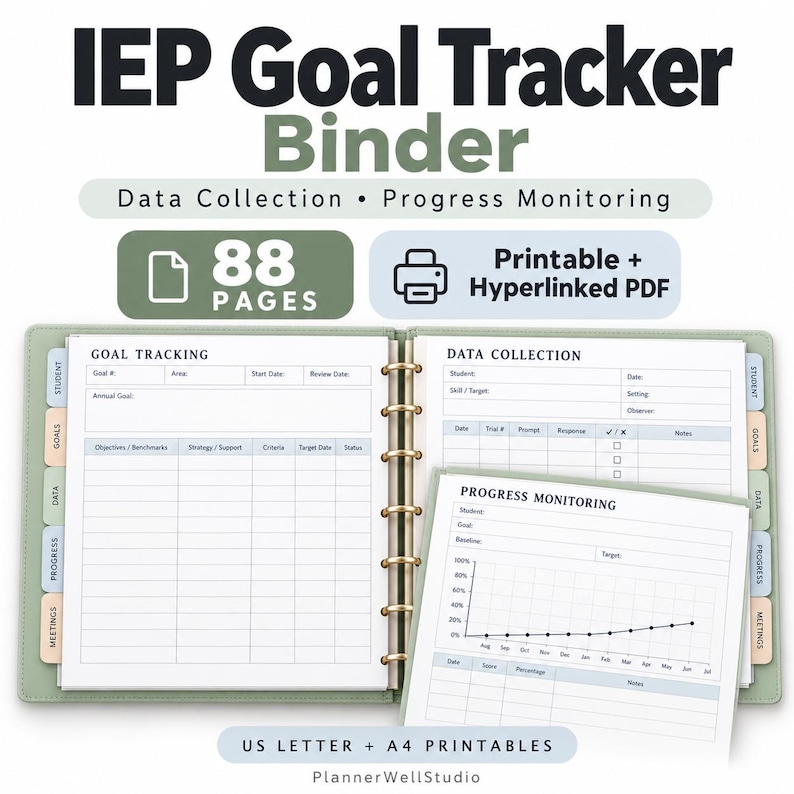
My IEP Goal Tracking Binder is built on exactly this system — student organization pages, goal sheets, data collection forms in several formats, progress monitoring logs and graphs, and meeting pages, in one hyperlinked PDF with printable US Letter and A4 versions.
Start With Five Students
Set up sections for your five highest-need students first. Use the binder for two weeks. Once the habit holds, add the rest of the class. Systems that start small survive; systems that demand a full weekend usually get abandoned by November.
Read next



0 Comments