
Every special education teacher has heard the same pitch from both sides. Paper people say a digital teacher planner will die the first time the Wi-Fi drops, and digital people say a paper planner is just a binder waiting to be lost. Both sides are exaggerating, and both sides have a point. The honest answer is that neither format wins on its own. The format that wins is the one that survives your actual school day: the sessions, the meetings, the caseload changes, and the Friday afternoon when you are tired and still need to find a student's data.
This comparison is not about which format looks better in September. It is about which one still works in February, when the novelty has worn off and the caseload has changed three times. Here is how a digital teacher planner and a paper planner really compare, and how to choose — or combine them — without rebuilding your whole system mid-year.
What a Digital Teacher Planner Actually Does Well
A digital teacher planner earns its place in three situations. First, search. When a student moves caseloads, changes tiers, or returns after an absence, a hyperlinked PDF lets you jump from a roster to that student's pages in seconds, instead of flipping through a binder looking for a tab that moved. Second, carrying. A tablet holds every student's planner, every data form, and every meeting note in one device that fits in a bag, which matters when you teach across rooms or buildings. Third, duplication. A digital page can be copied for a new week, a new student, or a new goal without reprinting, restocking, or rewriting the same headers by hand.
Those strengths show up most in data collection. A digital teacher planner with linked tabs keeps the goal sheet, the data form, and the progress graph one tap apart, so the note you take during a session is already sitting next to the graph you will need at report time. For teachers who collect data on a tablet during sessions, that closeness is real time saved, every day.
Where Paper Still Wins
Paper wins in the places digital tools quietly fail. A paper planner never runs out of battery, never asks for an update in the middle of a session, and never locks you out because a password expired. It works in the room with no signal, on the playground, and during a home visit. For many teachers, writing by hand is also faster than tapping: a tally, a quick note, and a circled prompt level take two seconds with a pen and noticeably longer on a screen, especially when a student is waiting.
Paper also wins at visibility. A printed graph on a binder page can be shown to a parent, a colleague, or a supervisor without handing over a device, finding the right file, or zooming in on a small screen. And at the end of the year, a paper binder is a physical file: it can be handed over, stored, or reviewed without worrying about which app still opens the file. For caseload handover, that simplicity matters more than any feature list.
The Real Costs, Side by Side
Cost is where the comparison usually goes wrong, because people compare a one-time purchase with a free app and call it done. A paper planner costs printing, a binder, tabs, and refills across the year, and every new student or new goal adds pages. A digital teacher planner usually costs one purchase, plus the device you already own, plus a stylus if you annotate by hand — and nothing extra for the next student. Over a full school year, digital is usually cheaper for a teacher with a changing caseload, while paper is cheaper for a teacher with a small, stable group who prints once and reuses the same pages.
Durability cuts the other way. A paper page can be torn, soaked, or left in the wrong building, and the only backup is a photocopy you remembered to make. A digital file can be backed up in seconds, but it can also be lost to a broken device, a deleted app, or a file format that stops opening cleanly. Whichever format you choose, the backup rule is the same: one copy where you work, and one copy somewhere else. For paper, that means a scanned copy of the key pages. For digital, that means a cloud backup you actually turn on, not one you mean to turn on.
Data, Privacy, and the Meeting Room
For special education work, the meeting room is the test. A digital teacher planner that links data to graphs makes progress reports faster, because the evidence is already organized when the meeting starts. A paper planner makes the same meeting slower to prepare but easier to run, because anyone at the table can look at the same page without a screen between them.
Privacy follows the same split. A paper binder is private as long as it stays in your hands or a locked cabinet, and it is exposed the moment it is left on a desk. A digital planner is private as long as the device is locked and the backup is secured, and it is exposed the moment it is shared to the wrong account. Neither format is automatically safe. Both need the same habits: keep working notes brief and factual, keep the full record in the secure student file your district requires, and share only with staff who work directly with the student.
The Hybrid System Most SPED Teachers Actually Keep
After trying both, most special education teachers land in the same place: a hybrid. The daily data lives where the teaching happens, and the record lives where it can be found later. A common version looks like this: a digital teacher planner on a tablet for daily sessions, because the links and duplication save time during the day; printed graphs and review pages in a binder for meetings and handover, because paper is easier to show and hand over. Another version reverses it: a paper binder for daily data, because handwriting is faster in the room, with a weekly scan into a digital folder so nothing is lost when the binder is full.
The hybrid works because it stops asking one format to do everything. Let digital do what digital does best — search, links, duplication, and backup. Let paper do what paper does best — fast handwriting, no battery, and a page anyone can read at a table. The system that survives February is rarely pure. It is the one built around your rooms, your caseload, and your meetings, not around a format you were sold.
How to Choose Without Starting Over
Do not rebuild your whole caseload to test a format. Pick one student and run the test for two weeks. If you are testing digital, set up one student's pages in a digital teacher planner: one goal page, one data form, and one graph. Use it in real sessions, not in a quiet planning period. If you are testing paper, print the same three pages for one student and carry only those. At the end of two weeks, ask three questions: did I update it during the session, or after? Could I find it in under a minute? Could I show it in a meeting without preparation? The format that passes all three for that one student is the format to expand — and if neither passes all three, build the hybrid: digital for the daily pages, paper for the meeting pages, and stop there.
A planner is not a personality test. It is a tool that either holds your caseload or leaks it. Paper leaks when pages pile up and no one can find anything. Digital leaks when files pile up and no one can find anything. The format matters less than the routine behind it: one place per student, updated where the teaching happens, reviewed every week. Get that right, and either format — or both — will carry you through the year.
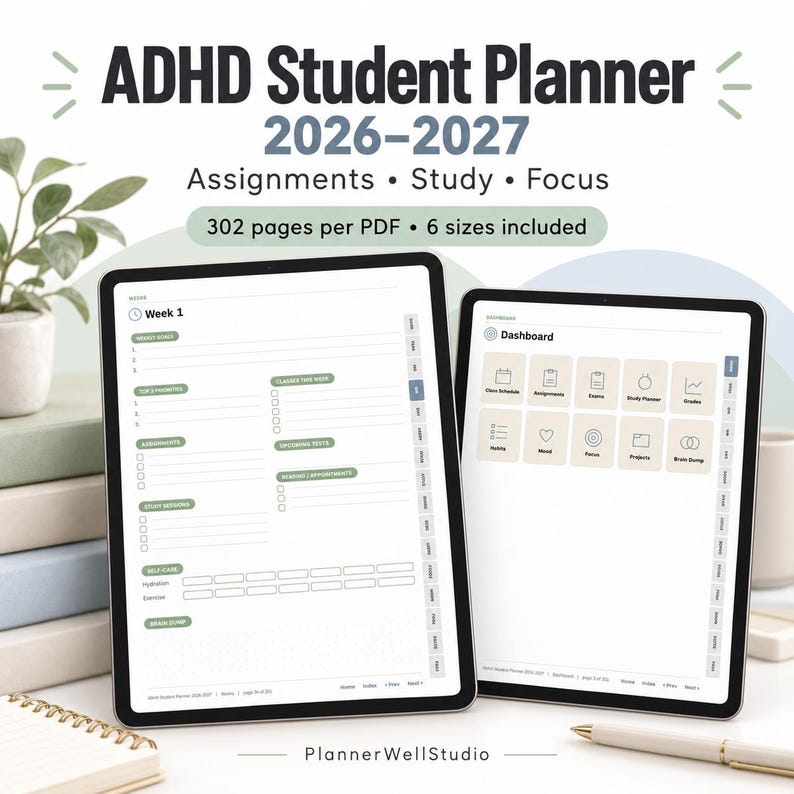
Ready-to-use help: If you want a digital planner to test this with, the ADHD Student Planner is a hyperlinked PDF for Goodnotes and reMarkable, with weekly layouts, assignment tracking, and routine pages students can actually keep using. It is also available on Payhip here: https://payhip.com/b/qbA6n
Browse all teacher planners here: https://www.etsy.com/shop/PlannerWellStudio
Start with one student, two weeks, and three pages. The format that survives those two weeks is the one worth building on.



0 Comments