
Every special education teacher has opened the spreadsheet. You know the one: a grid built in September with the best intentions, one tab per student, color-coded columns for each goal, and a quiet promise to update it every Friday. By November it has gaps. By January, half the tabs are stale, the formulas have broken twice, and progress report week turns into an evening of reconstructing data from sticky notes and memory. It was supposed to be your iep goal tracker. Instead it became one more thing to maintain.
The problem is not you. The problem is the tool. A spreadsheet is built for numbers that arrive in neat rows. IEP goal data does not arrive that way — it arrives in the middle of a session, on a clipboard, in thirty seconds between students. An iep goal tracker that lives where the teaching happens beats a perfect spreadsheet that lives on a laptop you never open during the school day.
Why Spreadsheets Fail as Goal Trackers
Spreadsheets fail for three predictable reasons:
- They are not in the room. Data gets jotted on paper first and typed up later — and "later" is where accuracy goes to die.
- One grid has to fit every goal. A reading fluency goal, a behavior frequency goal, and a fine motor goal do not collect data the same way, but the spreadsheet forces them into identical columns.
- They hide the story. A row of percentages does not show you the trend at a glance, and it does not turn into a progress report without another round of work.
A paper or tablet tracker fixes all three by starting from the goal itself, not from the grid.
What a Good IEP Goal Tracker Actually Holds
One page per goal. The goal as written, the baseline from the evaluation or the first probe, and the target. Everything else on the page serves that one goal — no hunting across tabs.
A baseline you trust. Before tracking anything, take two or three clean measurements. A tracker with an honest baseline makes every later number meaningful; without one, progress is a guess. My post on IEP Goal Tracking walks through building that baseline step by step.
Data forms that match the goal type. Trial-by-trial sheets for discrete skills, frequency and duration recording for behavior, accuracy and percentage records for academic tasks, and prompt-level notes where independence is the point. The form should fit the goal, not the other way around.
A graph on the same page. A simple line graph next to the data does two jobs: it shows the trend in five seconds during a session, and at reporting time it is the evidence behind the sentence you write on the progress report.
A review rhythm. A monthly review page per student: which goals are moving, which have stalled, and what changes next month. Stalled goals are information, not failure — but only if you notice them before the annual review does.
The Weekly Routine That Keeps It Alive
A tracker only works if updating it is faster than avoiding it. This routine takes minutes, not an evening:
- During the session: record on the goal's own page, as the trials happen. No separate notebook, no transfer step.
- Friday, ten minutes: glance at each graph. Add a dot, note anything unusual, and flag any goal that has not moved in three weeks.
- Monthly: fill the review page. When progress reports come due, the report is mostly a summary of pages that already exist — the same approach I use for IEP Progress Reports.
Paper, Tablet, or Both
Printed goal pages in a binder suit teachers who collect data on the move and think with a pen. A hyperlinked PDF on a tablet suits teachers who want every student's tracker in one searchable place during sessions and meetings. Many case managers run both: tablet for daily data, printed graphs for the file. The format matters less than the rule behind it — one goal, one page, updated where the teaching happens.
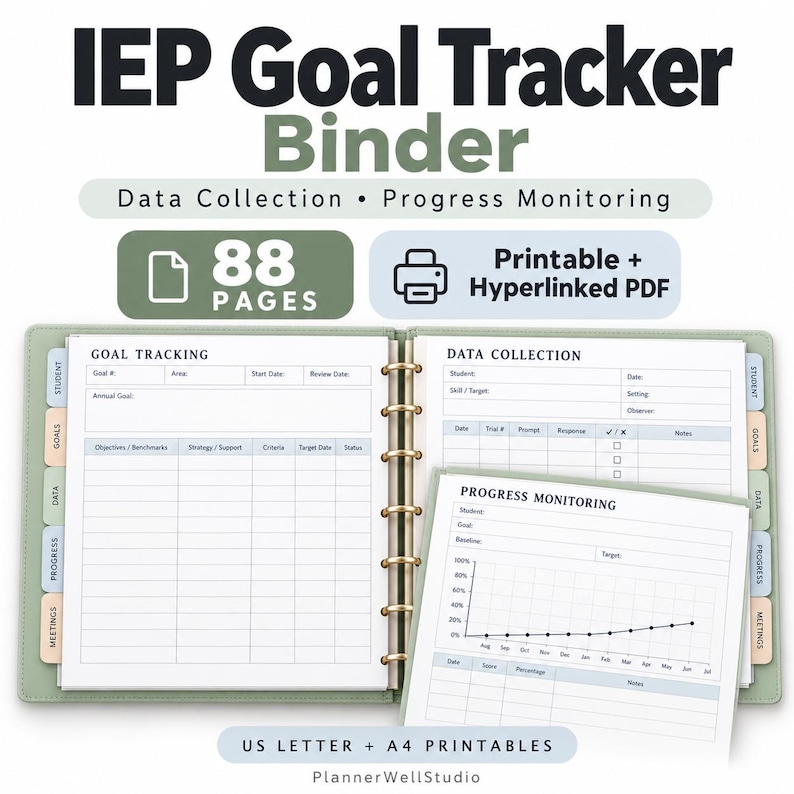
If you want that system ready-made, my IEP Goal Tracking Binder is an 88-page hyperlinked PDF built on exactly these pages: student and IEP organization, annual goal sheets with benchmarks and objectives, data collection forms in several formats, progress monitoring logs and graph templates, meeting pages, and caseload planning — with printable US Letter and A4 versions included.
Start With One Student
Do not migrate your whole caseload in one sitting. Pick one student, set up one page per goal with an honest baseline, and run the weekly routine for a month. When progress report week arrives and that student's report writes itself, you will not need convincing to move the rest.
Read next



0 Comments